

The current scenario of GoHighLevel already carries enough tools and features to automate a business easily. However, its WhatsApp flow feature has added more functionality and value to it.
In the current era, keeping track of tasks, appointments, and reminders can be quite challenging for business management if not handled properly. GoHighLevel attempts to make this balancing act easier with its feature. It offers simple yet powerful solutions for managing your time and tasks.
Let’s understand how does it works, furthermore, and why is it important for your business.
Table of Contents
Introduction
What is GoHighLevel’s WhatsApp Flow
Why Choose GoHighLevel’s WhatsApp Flow?
How to Get Started with WhatsApp Flow
Benefits of WhatsApp Flow in Scheduling
Real-life uses of WhatsApp flow
Tips for Using WhatsApp Flow Effectively
Conclusion
What is GoHighLevel’s WhatsApp Flow?

WhatsApp flow is a feature of GoHighLevel that helps in automating communications with the power of AI. With this feature, you can create and, moreover, alter workflows to schedule messages and reminders for your clients.
Moreover, it works directly through WhatsApp, one of the most popular messaging apps worldwide.
This allows easy connections with your audience or handling your personal schedule. The use of this feature in GoHighLevel can make your business more engaging with your audience. As a result, he connectivity will improve along with being highly relatable and updated.
Why Choose GoHighLevel's WhatsApp Flow?
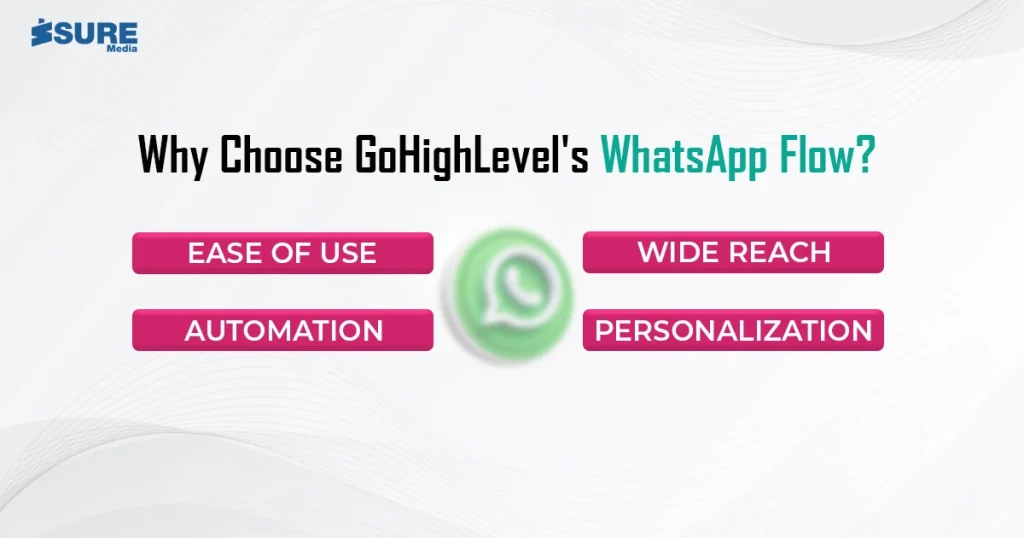
Of the so many scheduling tools out there, WhatsApp Flow stands out. Overall, WhatsApp is a daily use app and if you connect with your audience daily, it makes your brand highly relevant.
Therefore, most businesses prefer this feature of GHL here’s the reason why:
1. Ease of use
The feature, therefore, has an interface that is very user-friendly. This means anyone with a basic knowledge of the workflow can set it up. Hence you won’t need any technical knowledge to set up the messages for your clients. Therefore, the feature is highly approachable and easy to use, making it a choice for a wide range of business owners and agencies.
2. Wide reach
WhatsApp is used by over 2 billion people across the globe. Consequently, using this feature means you reach more people effectively. Therefore, while you keep yourself updated on the platform, you can get more reach and retain more customers with this feature.
3. Automation
The feature saves a lot of time as it automates repetitive tasks. Furthermore, the feature makes the business processes easier and saves you a lot of time which you can invest somewhere else for better business expansion.
4. Personalization
You can customize the messages to your needs. Consequently, this makes your communication more engaging and increases your connection with the audience. Moreover, when the audience feels connected with your firm, their retention chances increase if you continue to serve them well.
How to Get Started
Getting started is quick and easy. Follow these steps to make scheduling simple:
1. Sign Up for GoHighLevel – First, one has to create an account on GoHighLevel.
2. Connect WhatsApp – Next, link your WhatsApp account to GoHighLevel.
3. Create a Workflow – Use the feature to design your workflow. Choose triggers, actions, and timing for your messages.
4. Test and Launch – Then, run a test to ensure all is working fine. Finally, once satisfied, turn on your workflow.
Benefits of WhatsApp Flow on Scheduling

In summary, the following are some of the key benefits of using this feature:
1. Better Time Management
The feature helps in managing time undeniably better as it automates tasks. Overall, the tool of GHL will do the rest for you. Therefore, managing time for your business is the best that you can do as of now. Overall, the era of automation is solving this exact issue and helping you out with it.
2. Improved Communication
Send reminders to clients, colleagues, or even yourself on time. Therefore, using this way, you ensure that nothing important goes unnoticed, this part of the feature improves the overall communication of your business and improves client interaction.
3. Increased Productivity
This feature of GoHighLevel saves a lot of manual work since most of the elements in the business are automated. Therefore, in this way you get more time to focus on other important things and the business expansion as well. Subsequently, with the automation, you can definitely boost your productivity and performance.
4. Professional Image
Scheduling messages shows you’re organized. Furthermore, it also reflects positively on your brand or personal image. Hence, the use of this feature will take you to places you never might have imagined or guessed. Therefore, it can improve your overall business image and make things better for you.
Real-Life Uses of WhatsApp Flow
To see how the Flow can work for you, let’s look at some examples:
1. For Businesses: For example, a salon owner can use this feature of GoHighLevel to send appointment reminders to clients. This consequently reduces no-shows and keeps the schedule full.
2. For Personal Use: Students can schedule reminders for study sessions or deadlines. This helps them stay on top of their tasks.
3. For Teams: Managers can send team updates or meeting reminders automatically. This ensures everyone stays informed.
Tips for Using WhatsApp Flow Effectively
To get the most out of WhatsApp Flow, keep these tips in mind:
- Keep It Simple - Avoid overcomplicating your workflows. Start with basic tasks and build from there.
- Use Clear Messages - Make sure your messages are easy to understand. This prevents confusion.
- Test Your Workflow - Always test your workflows before launching them. This helps catch errors early.
- Review and Update - Go through your workflows regularly to ensure they are still applicable. Make changes as necessary.
Conclusion
Scheduling doesn’t need to be complex. Simplify and automate your tasks with GoHighLevel’s WhatsApp Flow. Overall, its simplicity, reach, and power make it a tool you can’t afford not to have.
Therefore, whether managing a business or personal life, this feature keeps you organized and productive. Try the feature today and see the difference. Hence, it is scheduling simplified is just a few clicks away!
Schedule your call with us to get more help with the WhatsApp’s feature of GHL called flow. Click on the button below for more.
For more information and digital business support, you can contact us on our social media handles.